Balwant Singh

Cloud / DevOps Engineer

I design, automate, and operate AWS-based infrastructures using Terraform, CI/CD, and DevOps best practices to deliver scalable, reliable, and secure platforms.

  • Scalability & high availability
  • Infrastructure as Code (Terraform)
  • CI/CD & observability
  • Security & IAM guardrails
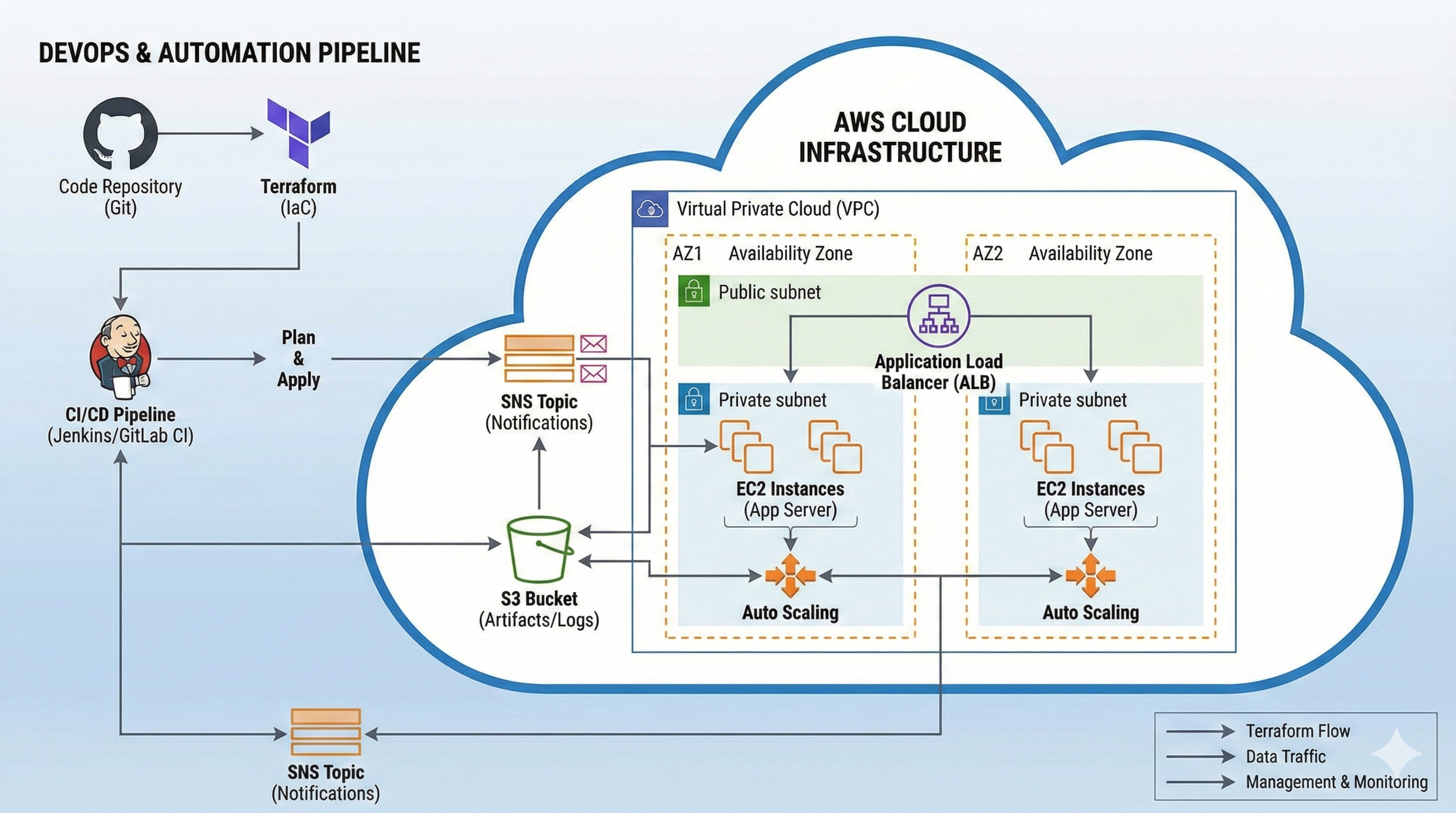
High-level AWS Cloud and DevOps architecture illustration (inferred)
Visualizing automated AWS infrastructure with VPCs, EC2, ALB, S3, SNS, and Terraform pipelines (inferred).

About & Skills

I build cloud-native infrastructure on AWS using Infrastructure as Code, automate deployments, and connect services like EC2, VPC, S3, ALB, SNS, and Route 53 into reliable architectures.

About Me

I learn Cloud & DevOps by building real-world projects on AWS and Terraform, from basic EC2 website hosting to production-ready networking with two-tier VPCs, NAT Gateways, load balancers, and event-driven architectures. My work emphasizes automation, reproducibility, and security across the full lifecycle of cloud infrastructure. (About tone partially inferred)

I focus on clear, documented workflows: plan ↠ apply ↠ validate ↠ destroy, ensuring environments are easy to spin up, test, and tear down to optimize cost and reduce operational risk. (inferred)
Skills Overview

Cloud Platforms

AWS Azure (inferred) GCP (inferred) Heroku (inferred)

Infrastructure as Code

Terraform Modules & variables State management (inferred) Ansible (inferred)

CI/CD & Automation

GitHub Actions Terraform CLI Jenkins (inferred) Flask-based automation

Containers & Orchestration

Docker (inferred) Kubernetes / EKS (inferred)

Monitoring & Security

CloudWatch (inferred) CloudTrail (inferred) IAM Roles & Policies Security Groups

Languages & Tooling

Python Bash HCL YAML HTML CSS Git
Infrastructure as Code (Terraform) 90% (inferred)
AWS Networking & VPC Design 85% (inferred)
CI/CD & Automation 80% (inferred)

Projects

A curated set of Cloud and DevOps projects built on AWS, Terraform, and automation workflows — from single EC2 web servers to two-tier VPC infrastructures and UI-driven Terraform orchestration.

CloudInfra Deploy Engine v2 web dashboard orchestrating Terraform deployments on AWS

CloudInfra Deploy Engine v2

Full-stack web platform to deploy AWS infrastructure from a browser using Terraform templates or custom ZIP projects — with live logs, outputs, and one-click destroy.

Stack: Python, Flask, Terraform, AWS (EC2, VPC, ALB, ASG, RDS, EKS, S3, CloudFront), SQLite, Jinja2, TailwindCSS, GitHub

Overview

CloudInfra Deploy Engine v2 is a web-based Terraform automation platform. It lets you choose pre-built AWS templates or upload your own Terraform project as a ZIP file, then runs terraform init, plan, apply, and destroy from a secure dashboard. Each job has its own logs and outputs so you can see exactly what infrastructure was created.

Core Features
  • 👤 Secure login & dashboard – session-based auth, each user sees only their own jobs.
  • 📦 Template mode – one-click deploy for curated AWS templates: web server, VPC, S3 + CloudFront, two-tier app (EC2 + RDS), EKS, ALB + ASG, and a hardened secure web hosting stack.
  • 🧩 Custom mode – upload any Terraform project as a .zip and run it from the browser.
  • 📜 Live log streaming – terminal-style view in the browser, auto-refreshing while Terraform runs.
  • 🧾 Outputs viewer – stores and shows Terraform outputs (IPs, DNS names, endpoints, IDs) in a clean JSON-style layout.
  • 🗑️ Destroy from UI – confirm AWS credentials and trigger terraform destroy safely from the dashboard.
Architecture

The app is split into a Flask backend and an infra templates layer:

  • Web frontend – Jinja2 templates (login, dashboard, template forms, custom upload, logs, outputs) styled with Tailwind + custom CSS.
  • Flask backend – handles authentication, job model (SQLite), file uploads, parameter handling, and spawning Terraform runners.
  • Terraform runner – per-job workspace that executes terraform init/apply/destroy, captures logs and outputs, and writes them back for the UI.
  • AWS layer – EC2, VPC, ALB, ASG, RDS, EKS, S3, CloudFront, etc. are provisioned via modules in infra/templates/aws/.
Project Structure
  • backend/app.py, models, utilities (e.g. terraform_runner.py), templates, and static CSS.
  • infra/templates/aws/ – reusable Terraform modules like web_server, vpc_basic, s3_cloudfront, two_tier_app, eks_basic, alb_asg, and secure_web_hosting.
  • requirements.txt – Python dependencies for the Flask app.
  • .gitignore – ignores Terraform state, caches, venv, and secrets.
Security & Best Practices
  • AWS credentials are provided per-run through forms and passed as environment variables to Terraform (not stored in Git).
  • Designed for use with a dedicated, least-privilege IAM user and budget alerts.
  • Terraform state and workspace directories are kept local to the runner machine, not exposed to the UI.
What I Learned
  • How to orchestrate Terraform as a long-running subprocess from a web app while keeping the UX responsive.
  • Designing a job model and dashboard that make infra operations traceable and auditable.
  • Packaging multiple AWS reference architectures as reusable Terraform templates for students and beginners.
View Repo
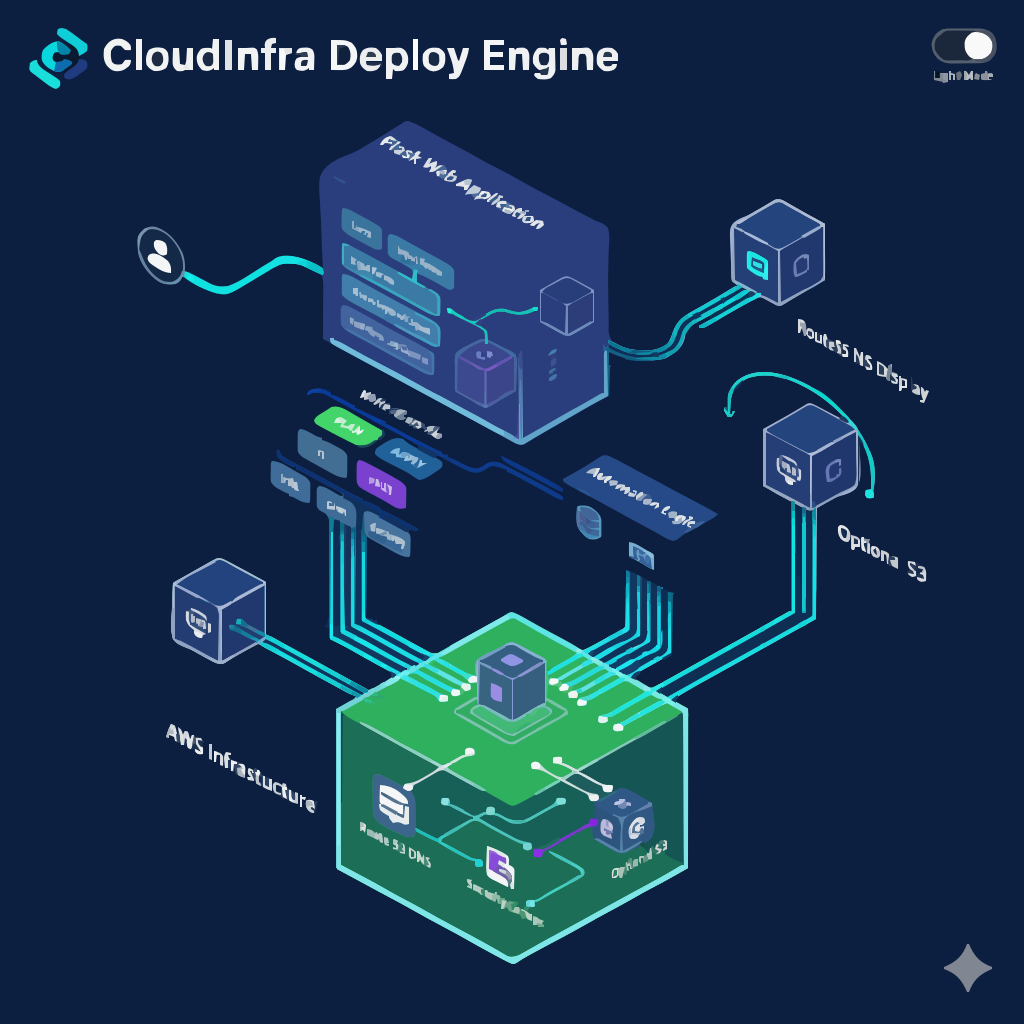
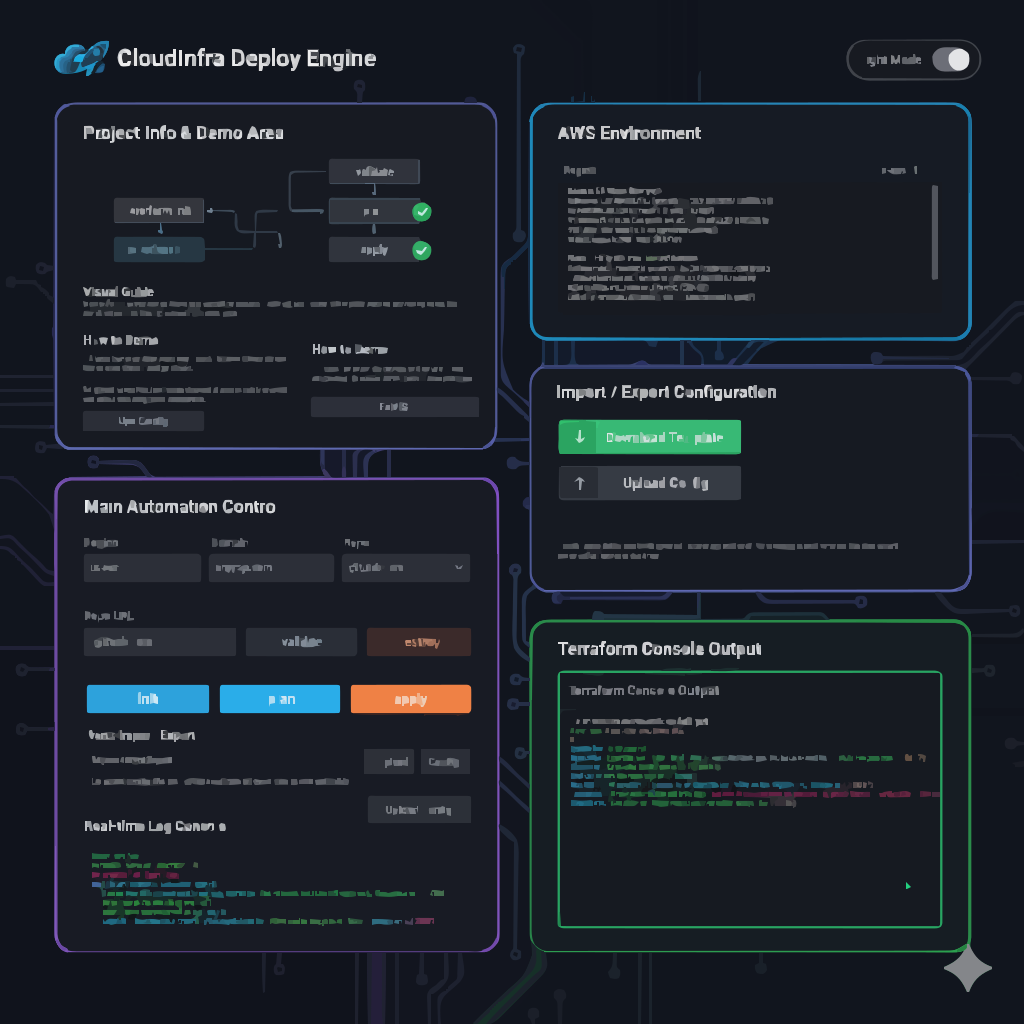
CloudInfra Deploy Engine Flask UI controlling Terraform deployments (inferred)

CloudInfra Deploy Engine

Flask-based DevOps dashboard that runs Terraform init/validate/plan/apply/destroy from a web UI.

Stack: Python, Flask, Terraform, AWS EC2, Route 53, Security Groups, GitHub Actions (optional)

Overview

CloudInfra Deploy Engine is a DevOps-friendly automation console that lets users drive Terraform commands via a browser-based dashboard, provisioning and managing AWS infrastructure through a guided UI instead of direct CLI usage.

Architecture
Flask backend orchestrating Terraform CLI and AWS infrastructure (inferred)
Flask app executes Terraform in a controlled environment, surfaces logs to the UI, and provisions AWS components such as EC2, Route 53 records, and optional S3 storage. (inferred)
Tech Stack & Components
  • Flask backend (app.py) to orchestrate Terraform CLI commands
  • Terraform configuration (terraform/ with main.tf, variables.tf, outputs.tf, provider.tf)
  • UI templates (templates/index.html) with dashboard views
  • Optional static assets in static/
  • Route 53 hosted zones and EC2 instances for website deployment
CI/CD Snippet (from README)
name: Terraform CI

                            on: [push, pull_request]

                            jobs:
                              terraform:
                                runs-on: ubuntu-latest

                                steps:
                                  - uses: actions/checkout@v4

                                  - name: Setup Terraform
                                    uses: hashicorp/setup-terraform@v2

                                  - name: Terraform fmt
                                    run: terraform fmt -check -recursive
                                    working-directory: ./terraform

                                  - name: Terraform init
                                    run: terraform init -input=false
                                    working-directory: ./terraform

                                  - name: Terraform validate
                                    run: terraform validate
                                    working-directory: ./terraform
Security & Cost Controls
  • No terraform.tfvars, state files, or AWS keys are committed to Git.
  • .gitignore excludes Terraform state, virtualenvs, and secrets.
  • Least-privilege IAM policies recommended for Terraform execution roles.
How I Built It

I combined a Flask application with Terraform CLI, designing a clean DevOps dashboard to trigger init, validate, plan, apply, and destroy while streaming output into the browser. I structured the Terraform configuration under a dedicated terraform/ directory and added optional CI checks using GitHub Actions.

Learnings / Challenges (inferred)
  • Orchestrating long-running Terraform processes from a web server safely.
  • Handling credentials securely without exposing them to the UI.
  • Designing a UX that makes complex infrastructure operations understandable and traceable.
View Repo

Replace YOUR_USERNAME with your GitHub username as shown in the README.

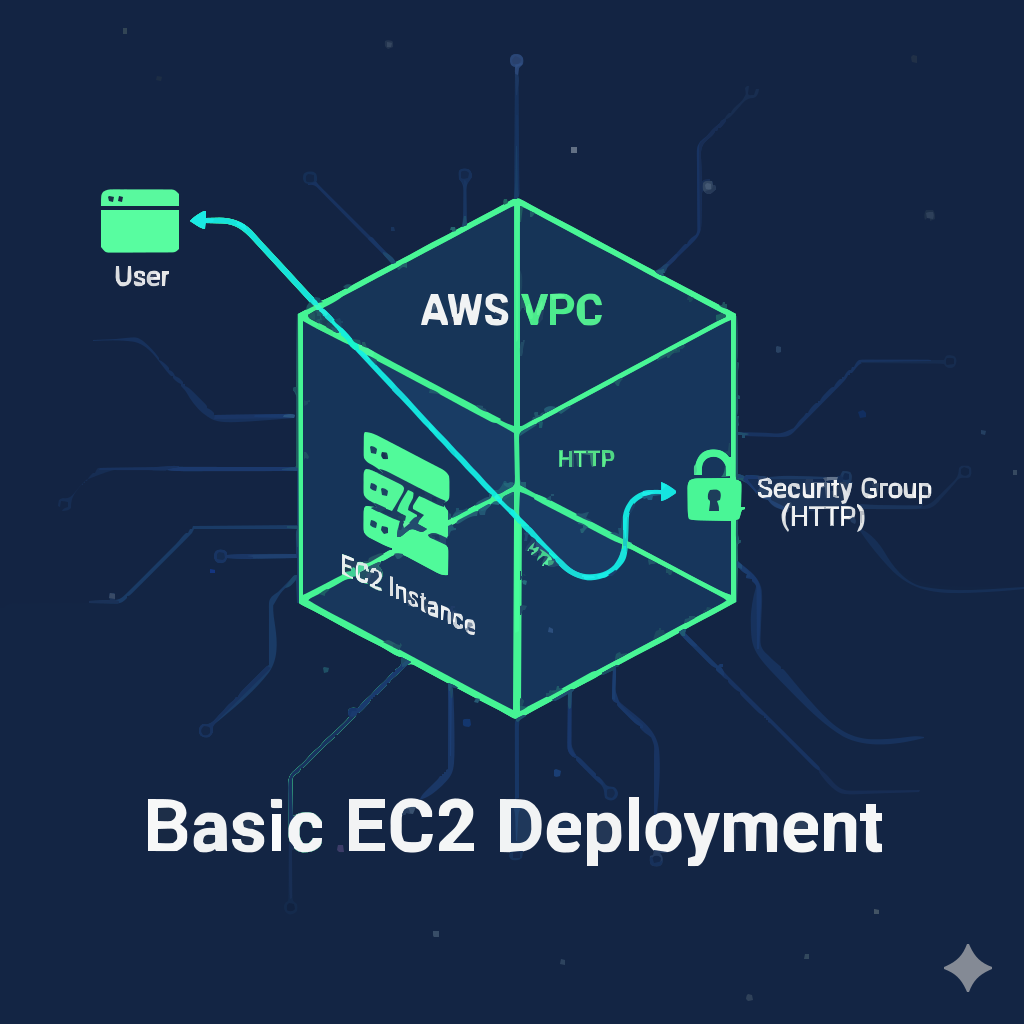
Basic EC2 deployment architecture on AWS with security group and public IP (inferred)

Basic EC2 Deployment

First portfolio website deployment on AWS EC2 (Amazon Linux) using Apache and GitHub integration.

Stack: AWS EC2, Amazon Linux 2, Apache HTTP Server, Security Groups, Git & GitHub, SSH

Overview

This project demonstrates the first step in deploying a portfolio website on AWS EC2, installing an Apache web server, and pulling website files directly from GitHub onto the instance.

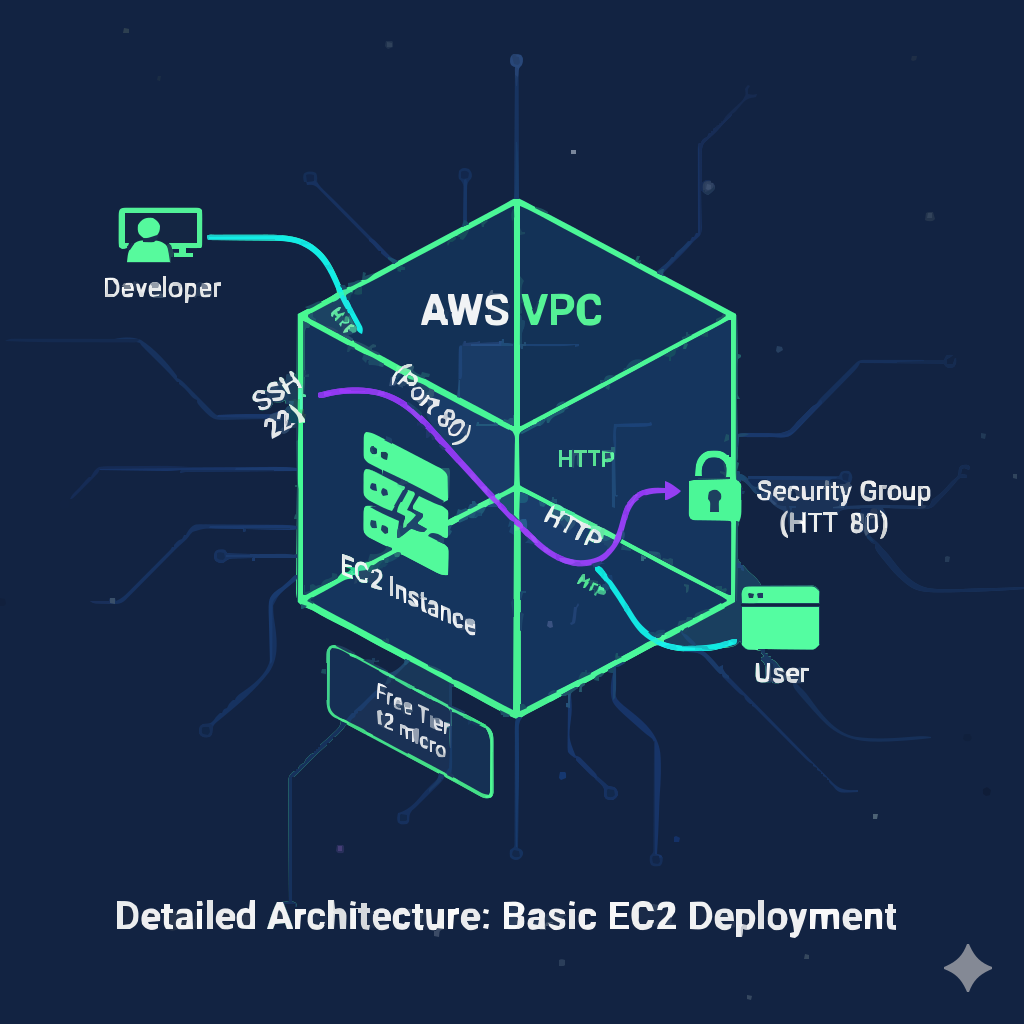
Architecture
Single EC2 instance behind a security group serving HTTP traffic (inferred)
EC2 instance (Amazon Linux 2) reachable via HTTP and SSH, hosting a static portfolio site. (inferred)
Tech Stack & Components
  • Amazon EC2 (t2.micro, Free Tier)
  • Amazon Linux 2
  • Apache HTTP Server (httpd)
  • Security Group allowing HTTP (80) and SSH (22)
  • Git & GitHub for website code deployment
IaC & Automation

Instance provisioning and configuration are described step by step (via console and commands). Future iterations can be migrated to Terraform or EC2 Image Builder for full automation. (inferred)

CI/CD & Monitoring
  • Manual Git-based deployment from GitHub to EC2.
  • (inferred) Can be extended using GitHub Actions to build and sync website files to EC2.
  • (inferred) CloudWatch metrics and basic status checks for instance health and CPU usage.
Security & Cost Optimization
  • Minimal Security Group rules (HTTP + SSH) to reduce attack surface.
  • Free-tier eligible t2.micro instance to keep costs low.
  • (inferred) SSH key–based login with no password authentication.
  • (inferred) Stop / terminate instance when not in active use.
How I Built It

Using the AWS Console, I launched an EC2 instance, configured the Security Group, connected via SSH, installed Apache, and cloned my portfolio website from GitHub into /var/www/html.

Learnings / Challenges (inferred)
  • Understanding EC2 networking and Security Group rules.
  • Mapping Linux file structure to Apache’s document root.
  • Troubleshooting HTTP access and verifying that the site served correctly from the public IP.
View Repo

Repo link points to GitHub profile – replace with the specific repository URL. (inferred)

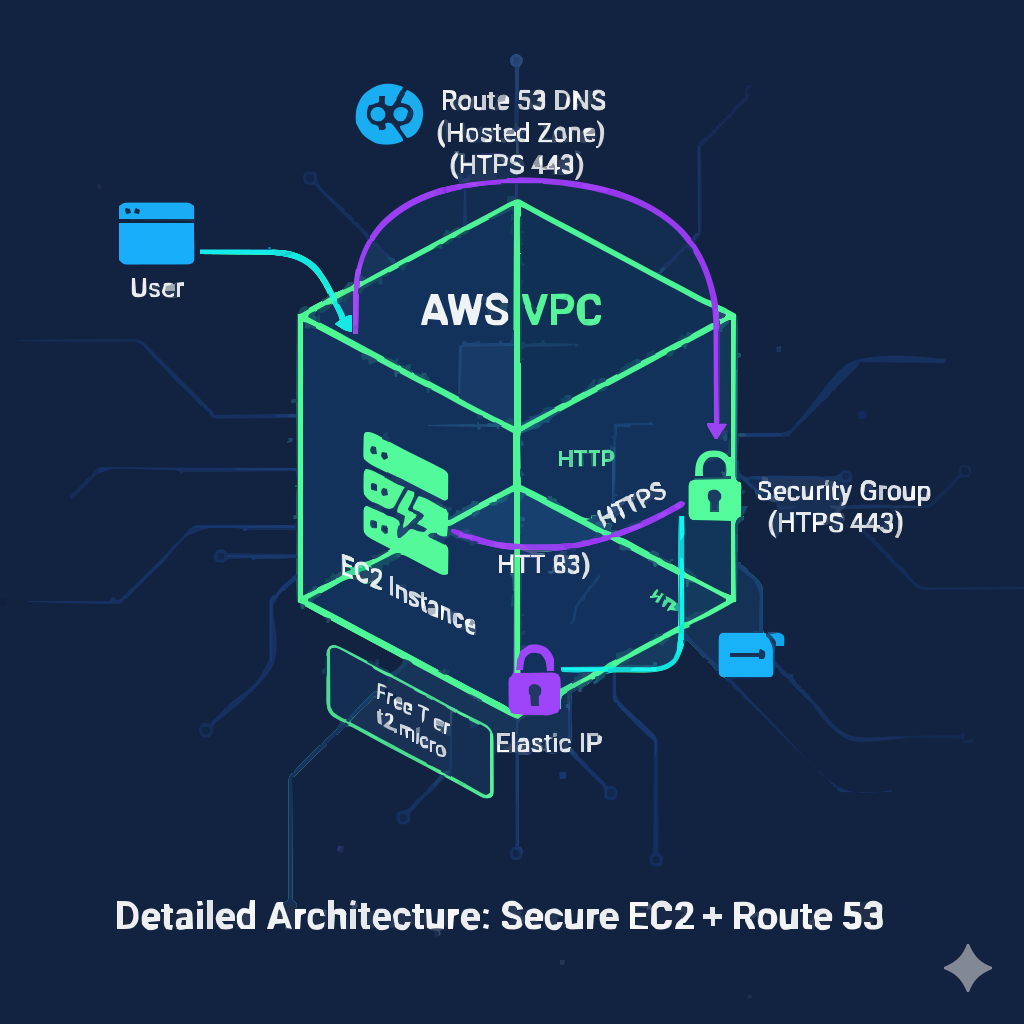
Production-ready EC2 website architecture with Elastic IP, Route 53, and HTTPS (inferred)

Production-Ready Deployment

Upgrading EC2 hosting with Elastic IP, custom domain via Route 53, and HTTPS using Let’s Encrypt.

Stack: AWS EC2, Elastic IP, Route 53, GoDaddy DNS, Let’s Encrypt, SSL/TLS

Overview

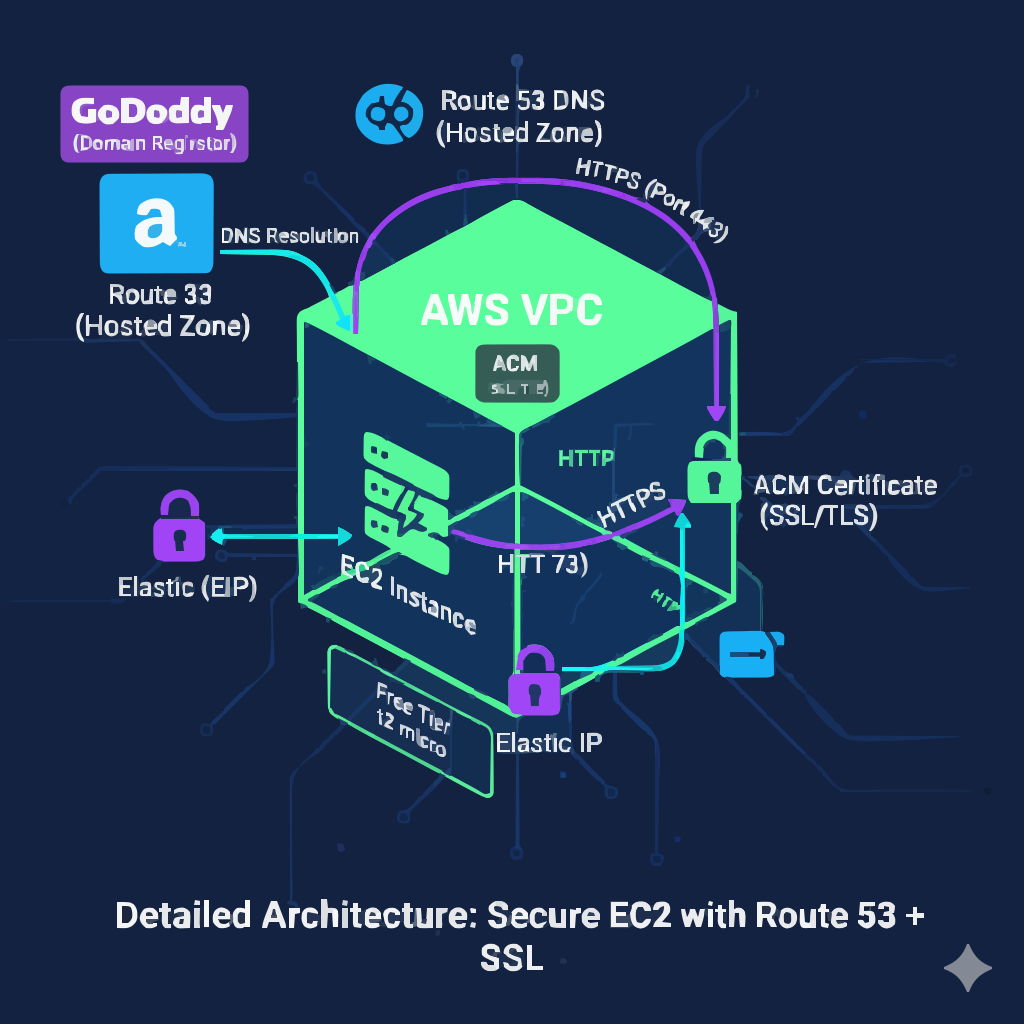
This project upgrades the basic EC2 deployment into a production-ready environment using a static Elastic IP, a custom domain managed via GoDaddy and AWS Route 53, and HTTPS enforced with Let’s Encrypt.

Architecture
AWS EC2 instance with Elastic IP and Route 53 hosted zone pointing to domain over HTTPS (inferred)
Domain registrar (GoDaddy) delegates DNS to Route 53, which routes traffic over HTTPS to EC2. (inferred)
Tech Stack & Components
  • Elastic IP associated with EC2 instance
  • GoDaddy domain pointing NS records to Route 53
  • Route 53 Hosted Zone and A Record for domain → Elastic IP
  • Let’s Encrypt certificate via certbot for HTTPS
IaC & CI/CD

The deployment is primarily console and CLI-driven, with clear steps to evolve toward full Infrastructure as Code and automated pipelines using Terraform and CI/CD tools. (inferred)

Monitoring & Security
  • HTTPS ensures encrypted communication between clients and the EC2-hosted website.
  • (inferred) CloudWatch alarms can track instance availability and HTTP response codes.
  • (inferred) Regular Let’s Encrypt renewals automated via cron jobs.
Outcomes / Metrics (inferred)
  • Stable, bookmarkable domain instead of changing public IP.
  • Improved user trust and SEO through HTTPS & SSL/TLS.
  • Production-style setup ready for further scaling (ASG + ALB).
Learnings / Challenges (inferred)
  • DNS propagation and troubleshooting NS / A records.
  • Correctly configuring certbot with Apache on Amazon Linux.
  • Aligning registrar DNS with AWS Route 53 hosted zones.
View Repo

Repo link points to GitHub profile – replace with the specific project folder. (inferred)

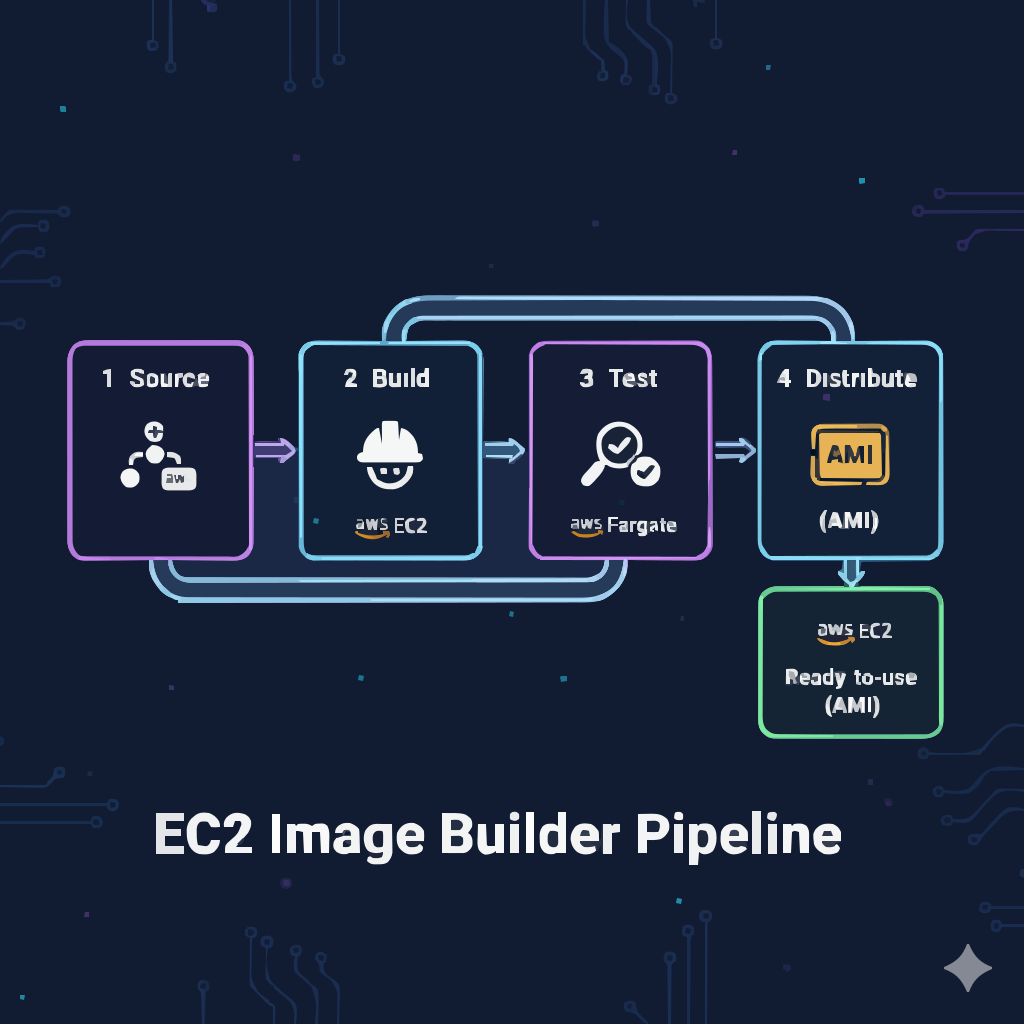
EC2 Image Builder pipeline creating reusable AMIs for web servers (inferred)

Automated AMI Creation (EC2 Image Builder)

Automated AMI builds with EC2 Image Builder for reusable, consistent web server images.

Stack: AWS EC2 Image Builder, EC2, IAM Roles, Custom Components, Image Recipes

Overview

This project uses EC2 Image Builder to automate the creation of AMIs with a pre-installed web server, ensuring faster and more consistent deployments across environments.

Architecture
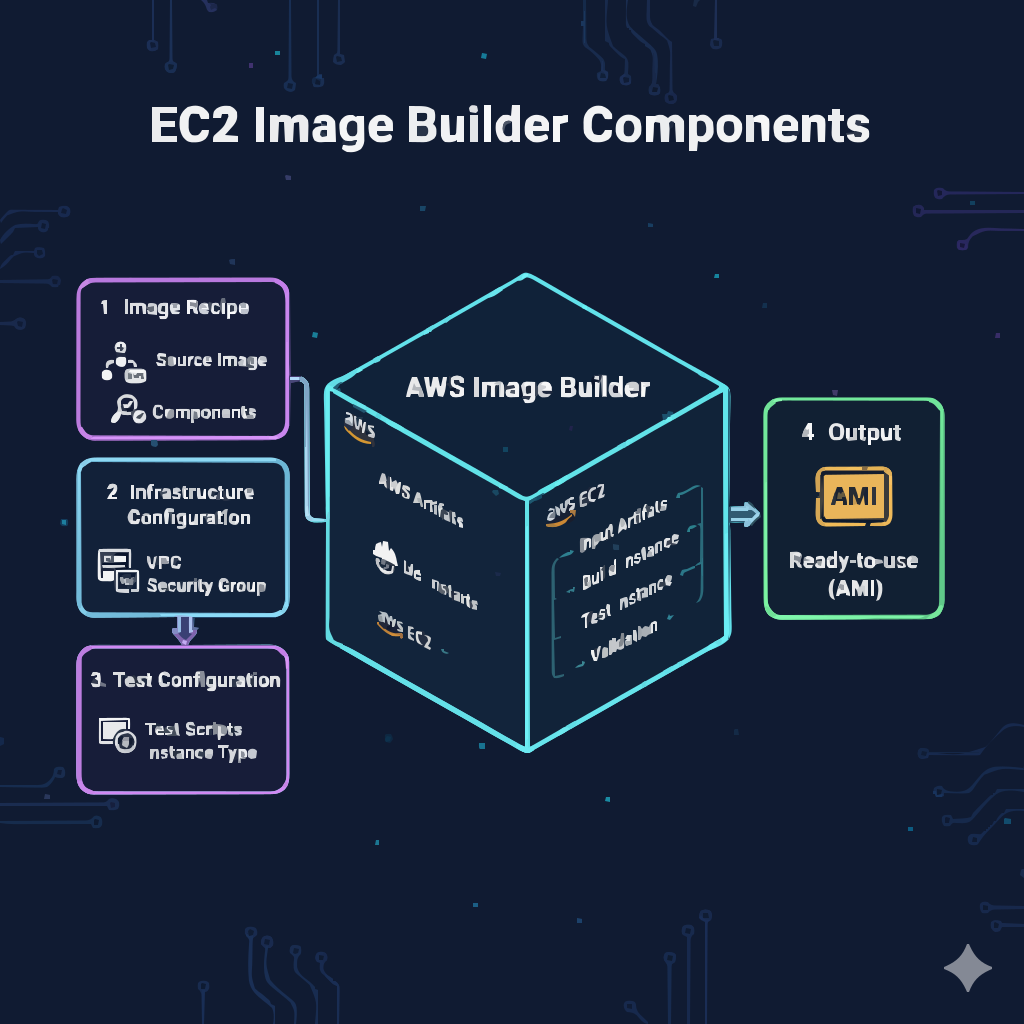
Image Builder pipeline with components, recipes, and build EC2 instance (inferred)
Image Builder pipeline provisions a build EC2 instance, applies components, and outputs a reusable AMI for downstream use. (inferred)
Tech Stack & Components
  • Custom Image Builder Component for web server installation
  • Image Recipe referencing base Amazon Linux AMI and components
  • Infrastructure Configuration for build host and IAM role
  • Image Pipeline to orchestrate periodic or manual AMI builds
IaC & Automation

The AMI creation process is fully automated using Image Builder pipelines, making it easy to roll out updated images for EC2-based environments. Terraform can orchestrate these pipelines as part of a broader IaC approach. (inferred)

Monitoring & Security
  • (inferred) CloudWatch logs for Image Builder pipeline status and failures.
  • IAM roles restrict pipeline permissions to the minimum needed.
  • (inferred) Regular AMI refresh schedule to include latest patches.
Outcomes / Metrics (inferred)
  • Reduced time-to-provision for new web server instances.
  • Consistent configuration across all deployed EC2 instances.
  • Improved reliability through standardized base images.
View Repo

Link is a placeholder to profile – point to the specific Image Builder project folder. (inferred)

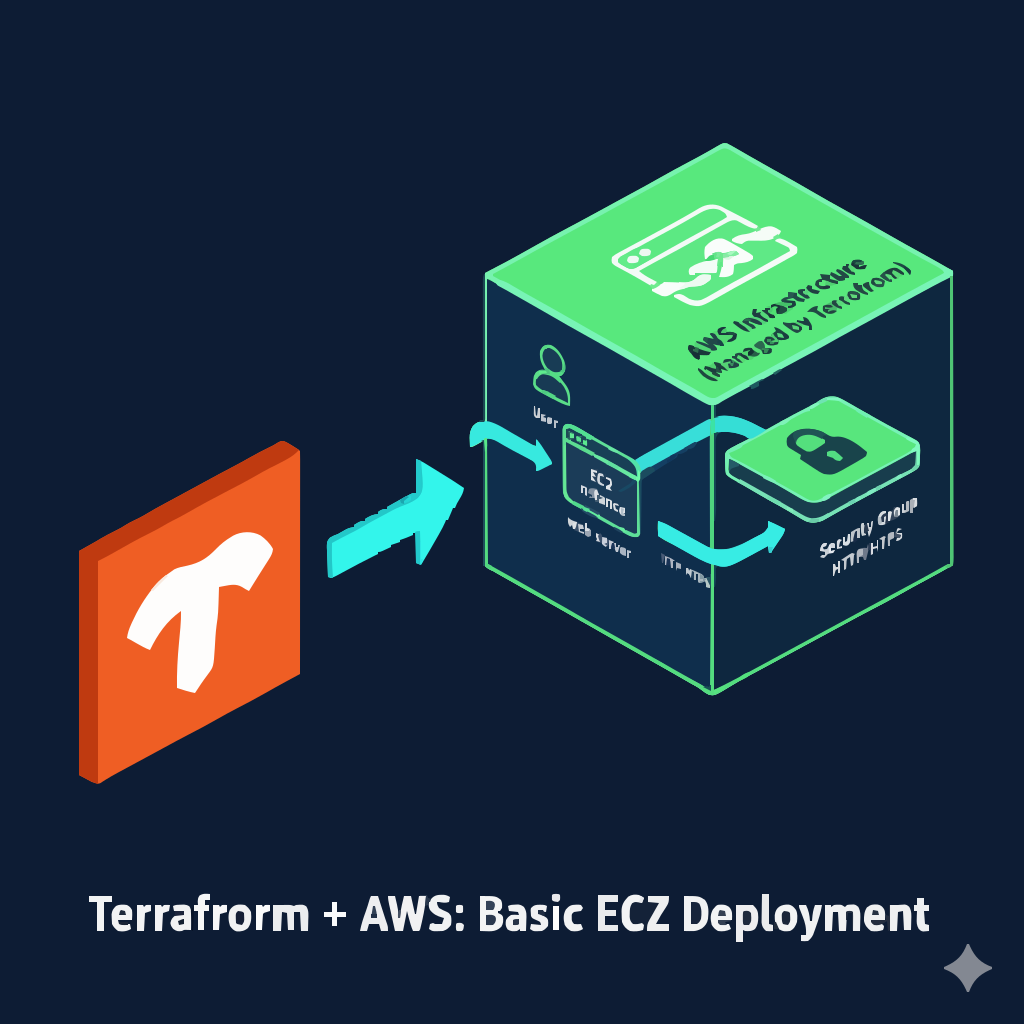
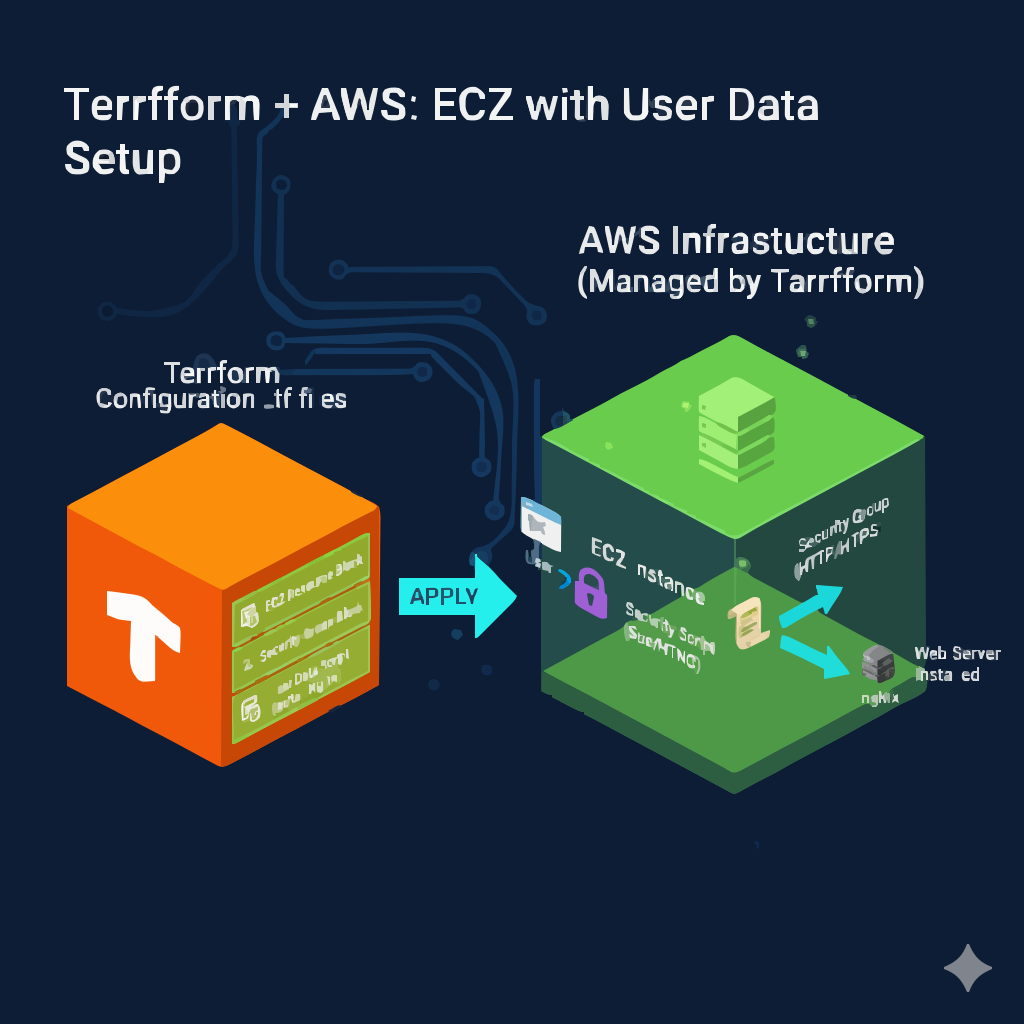
Terraform-managed EC2 Apache web server architecture

EC2 Apache Web Server using Terraform

Provision an EC2 instance with Apache web server using Terraform and user_data automation.

Stack: Terraform (HCL), AWS EC2, Security Groups, Amazon Linux 2, Apache HTTPD

Overview

This project provisions an EC2 instance using Terraform, configures Security Groups for HTTP access, and uses user_data to automatically install and start Apache, hosting a simple HTML page.

Architecture
Terraform managing EC2 instance and security group for web traffic (inferred)
Terraform defines the EC2 instance and Security Group, exposing HTTP to the internet while keeping configuration in version-controlled HCL. (inferred)
IaC Snippet (from README)
provider "aws" {
          region     = "${var.region}"
          access_key = "${var.access_key}"
          secret_key = "${var.secret_key}"
        }

        resource "aws_security_group" "web-server" {
          name        = "web-server"
          description = "Allow incoming HTTP Connections"

          ingress {
            from_port   = 80
            to_port     = 80
            protocol    = "tcp"
            cidr_blocks = ["0.0.0.0/0"]
          }

          egress {
            from_port   = 0
            to_port     = 0
            protocol    = "-1"
            cidr_blocks = ["0.0.0.0/0"]
          }
        }

        resource "aws_instance" "web-server" {
          ami             = "ami-0150ccaf51ab55a51"
          instance_type   = "t2.micro"
          key_name        = "portfolio"
          security_groups = ["${aws_security_group.web-server.name}"]

          user_data = <<-EOF
            #!/bin/bash
            sudo su
            yum update -y
            yum install httpd -y
            systemctl start httpd
            systemctl enable httpd
            echo "<html><h1> Welcome to Cetpa Infotech. Happy Learning... </h1></html>" >> /var/www/html/index.html
          EOF

          tags = {
            Name = "web_instance"
          }
        }

Sensitive values (like real access keys in terraform.tfvars) are never committed to Git.

CI/CD & Automation
  • Terraform workflow: terraform init, plan, apply, destroy.
  • (inferred) Terraform fmt/validate can be wired into GitHub Actions for basic CI checks.
Monitoring & Security (inferred)
  • Use CloudWatch to monitor instance metrics and set alarms on CPU or status checks.
  • Restrict SSH access by IP and keep Security Groups minimal.
  • Destroy resources after testing to avoid additional AWS charges.
View Repo
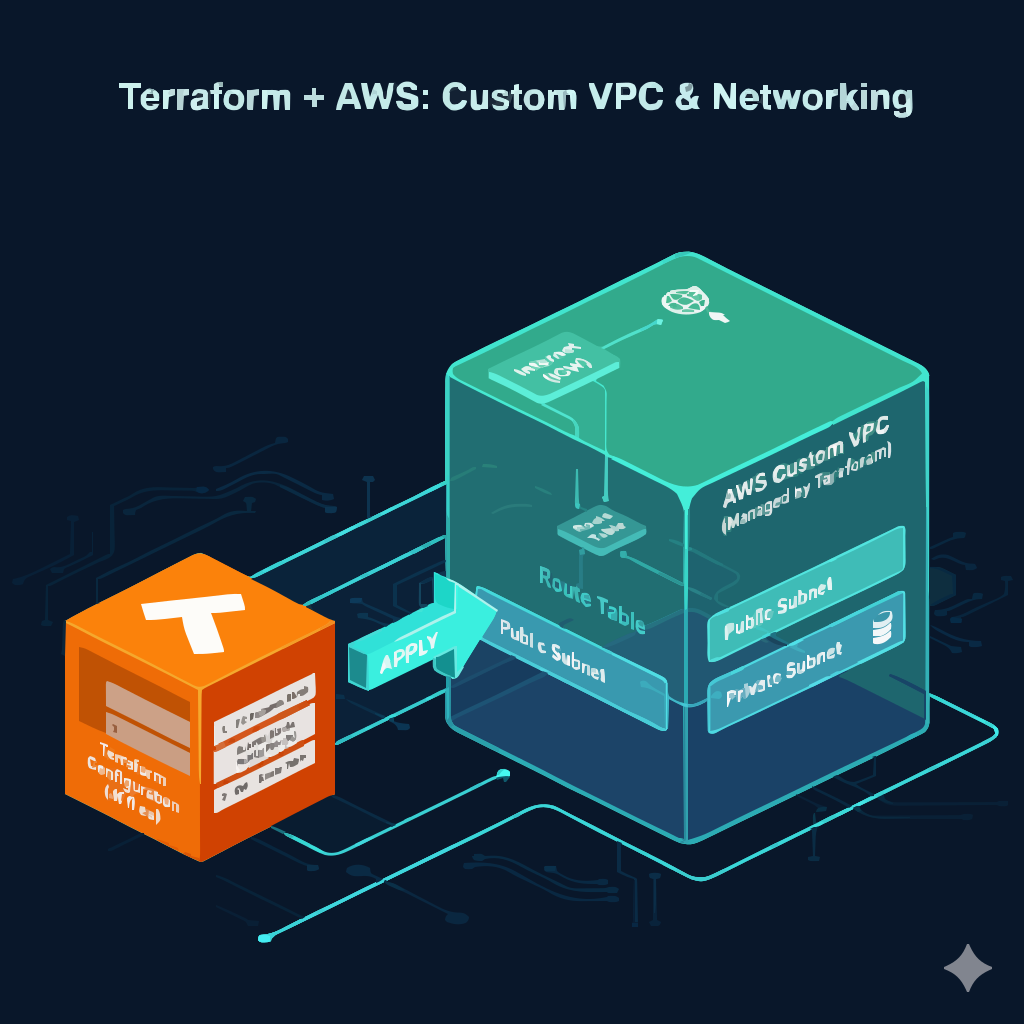
Terraform-managed VPC with subnets, route tables, and internet gateway (inferred)

Create & Destroy VPC using Terraform

Beginner-friendly VPC provisioning with subnets, route tables, and Internet Gateway using Terraform.

Stack: Terraform, AWS VPC, Subnets, Route Tables, Internet Gateway

Overview

This project automates the creation and teardown of an AWS VPC using Terraform, showcasing a complete init → plan → apply → destroy workflow and introducing reusable modules for networking.

Tech Stack & Components
  • Custom VPC with CIDR block
  • Public subnets
  • Internet Gateway and route tables
  • Outputs for VPC ID and other identifiers
IaC Snippet (inferred)
# (inferred structure based on README)
        resource "aws_vpc" "main" {
          cidr_block = var.vpc_cidr
          tags = { Name = "demo-vpc" }
        }

        resource "aws_internet_gateway" "igw" {
          vpc_id = aws_vpc.main.id
        }

        resource "aws_subnet" "public" {
          vpc_id                  = aws_vpc.main.id
          cidr_block              = var.public_subnet_cidr
          map_public_ip_on_launch = true
        }

The exact Terraform code lives in the project repo; this snippet is based on the documented structure. (inferred)

Monitoring, Security & Cost (inferred)
  • Use tagging to track cost per environment (dev/test).
  • Leverage Flow Logs and CloudTrail for network and API visibility.
  • Destroy infrastructure with terraform destroy when not needed to avoid charges.
View Repo

Repository URL uses placeholder your-username from README – replace with your GitHub handle.

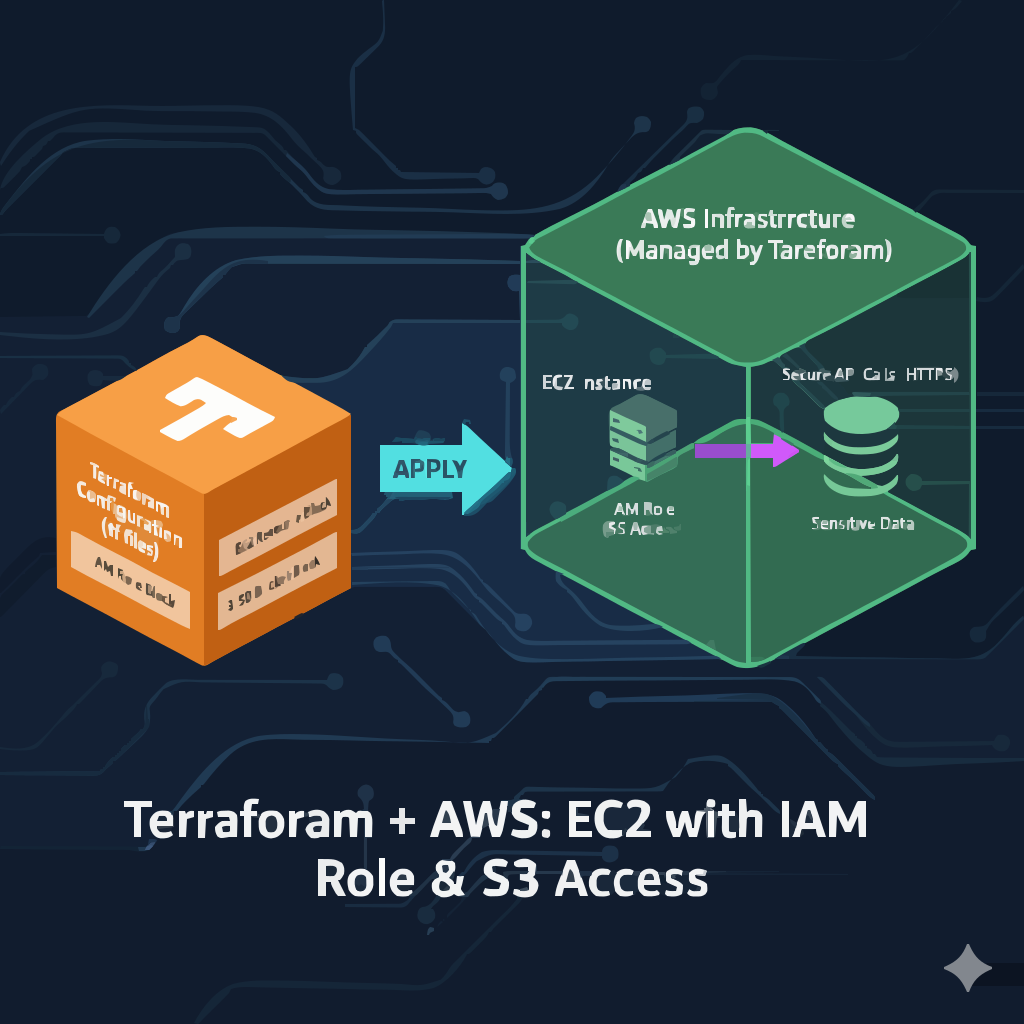
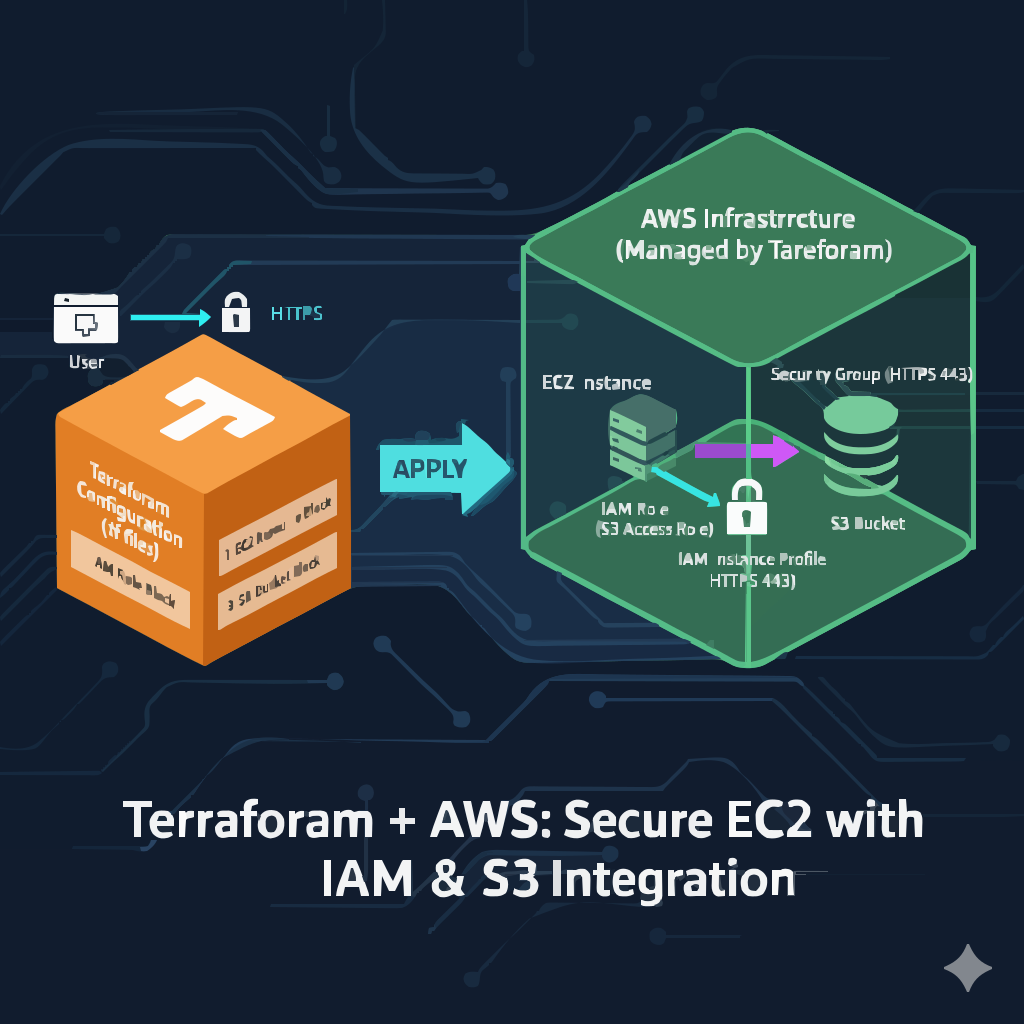
EC2 instance accessing S3 bucket via IAM role (inferred)

Access S3 from EC2 using Terraform

Securely serve HTML from S3 through an EC2-hosted Apache web server using IAM roles.

Stack: Terraform, AWS EC2, S3, IAM Roles & Instance Profiles, Security Groups, Apache

Overview

This project automates an EC2 + S3 integration where HTML files are stored in S3 and fetched by an EC2 instance using an IAM role instead of static credentials, then served through Apache.

Architecture
Architecture diagram: S3 bucket, EC2 instance with IAM role, security group (inferred)
S3 bucket holds static HTML; EC2 uses an IAM role to read objects securely and serve them to users. (inferred)
Key Resources
  • aws_s3_bucket and aws_s3_bucket_object
  • aws_iam_role and aws_iam_instance_profile
  • aws_security_group for HTTP access
  • aws_instance with Apache installed via user_data
Monitoring & Security (inferred)
  • IAM role avoids hardcoding AWS credentials.
  • CloudTrail can track S3 access via the role.
  • S3 bucket policies can further restrict access to only the EC2 role.
View Repo
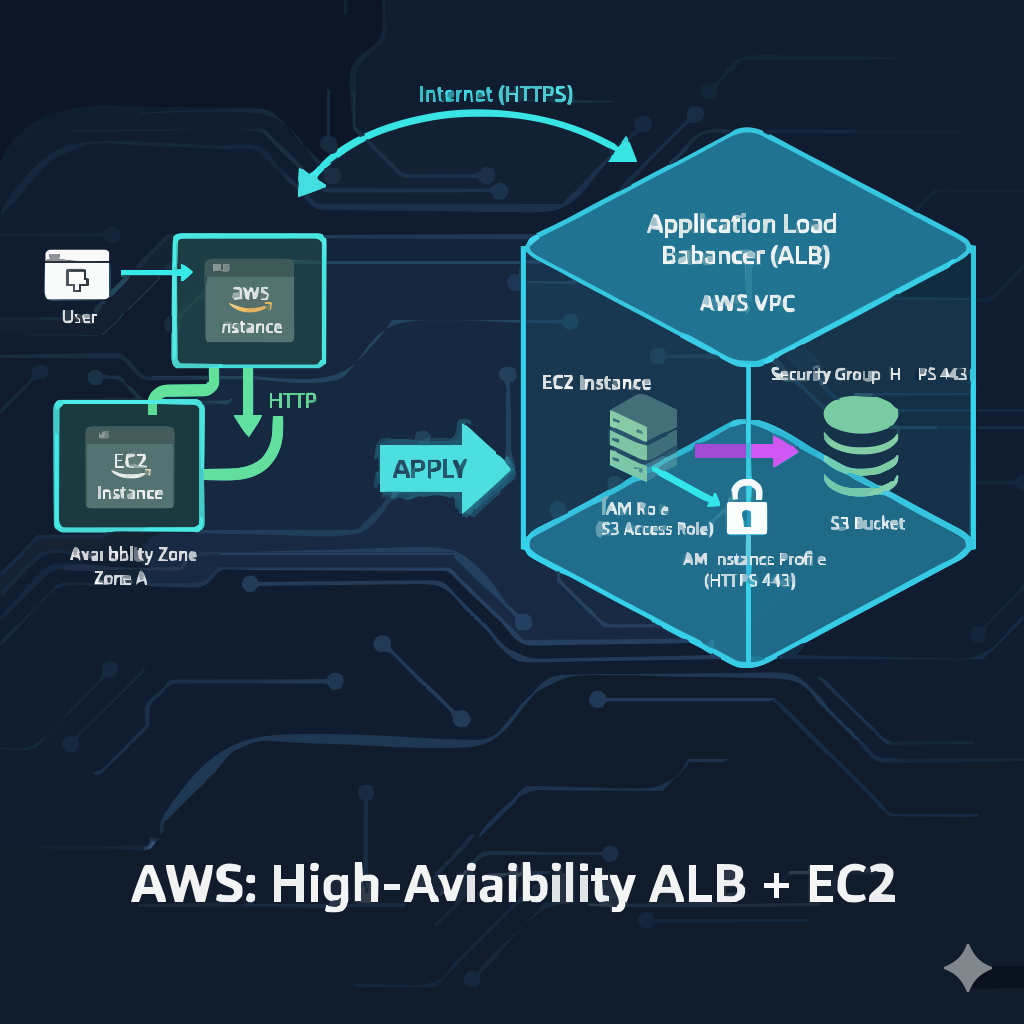
Application Load Balancer distributing traffic across two EC2 instances

Application Load Balancer with EC2 Instances

Highly available web architecture using ALB, target groups, and health checks with Terraform.

Stack: Terraform, AWS ALB, EC2, Target Groups, Security Groups, Default VPC/Subnets

Overview

This project provisions two Apache web server EC2 instances behind an Application Load Balancer, using target groups and health checks to provide a scalable, fault-tolerant setup.

CI/CD & Observability (inferred)
  • Terraform plan/apply manage ALB and EC2 lifecycle.
  • CloudWatch monitors ALB request metrics and target health.
  • Logs can be pushed to S3 for long-term analysis.
View Repo
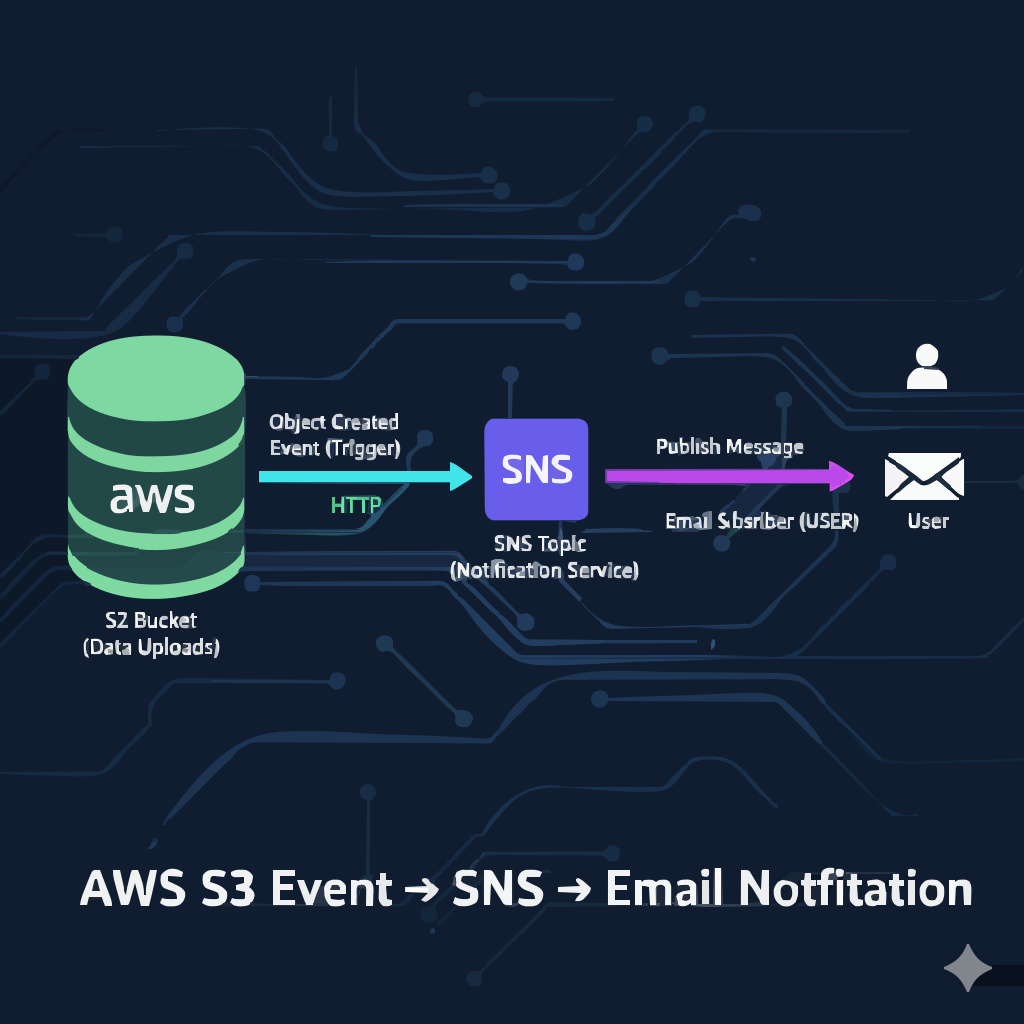
S3 bucket integrated with SNS topic for email notifications

S3 Event Notifications with SNS

Event-driven architecture that triggers SNS email alerts on S3 uploads using Terraform.

Stack: Terraform, AWS S3, SNS Topics, SNS Subscriptions, S3 Bucket Notifications

Overview

This project wires S3 bucket events to SNS, sending email notifications each time an object is uploaded, fully provisioned and configured via Terraform.

Monitoring & Security (inferred)
  • S3 → SNS events provide near real-time visibility into uploads.
  • Policy-secured SNS topic to allow only S3 to publish.
  • Email subscription confirmation workflow ensures valid subscribers.
View Repo
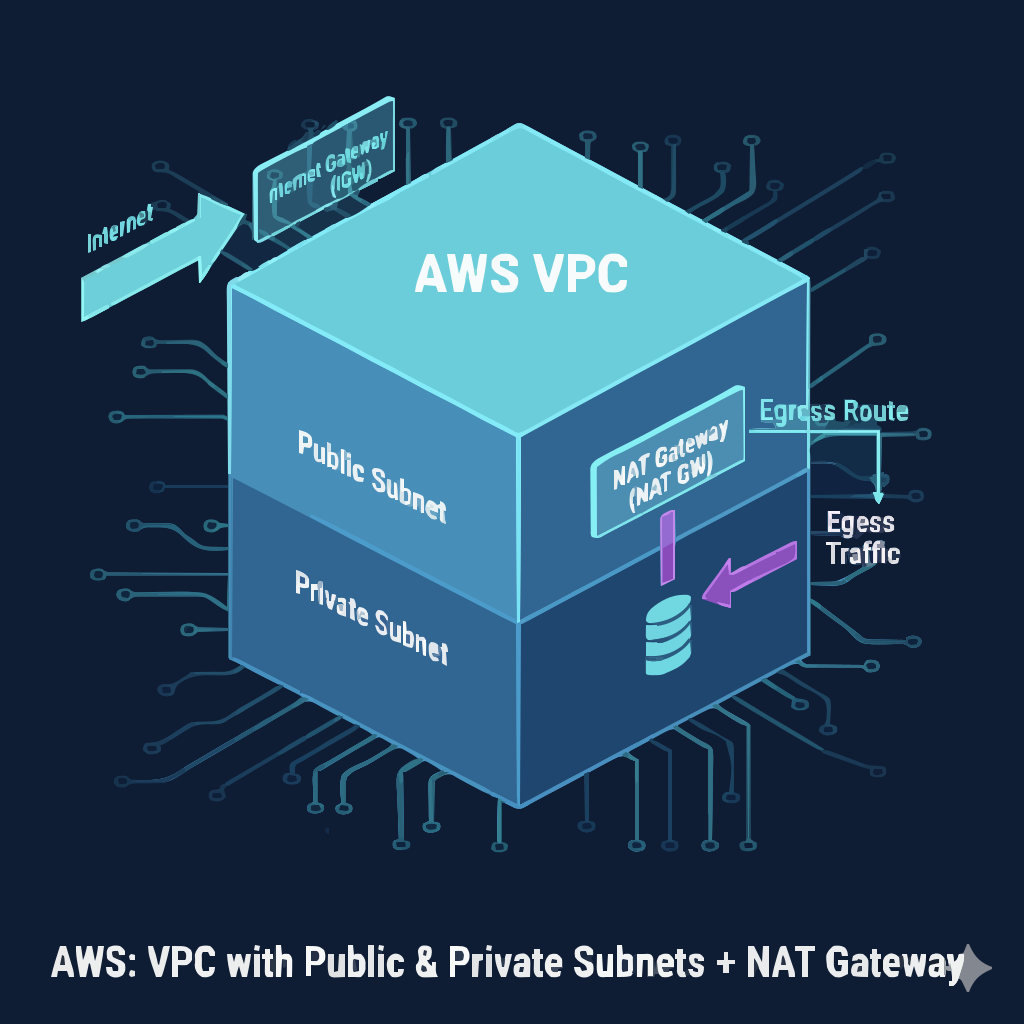
Two-tier VPC with public and private subnets and NAT Gateway

Two-Tier AWS VPC with NAT Gateway

Production-style two-tier VPC with public and private subnets and NAT Gateway for secure outbound access.

Stack: Terraform, AWS VPC, Subnets, Internet Gateway, NAT Gateway, EC2, Security Groups, Elastic IP

Overview

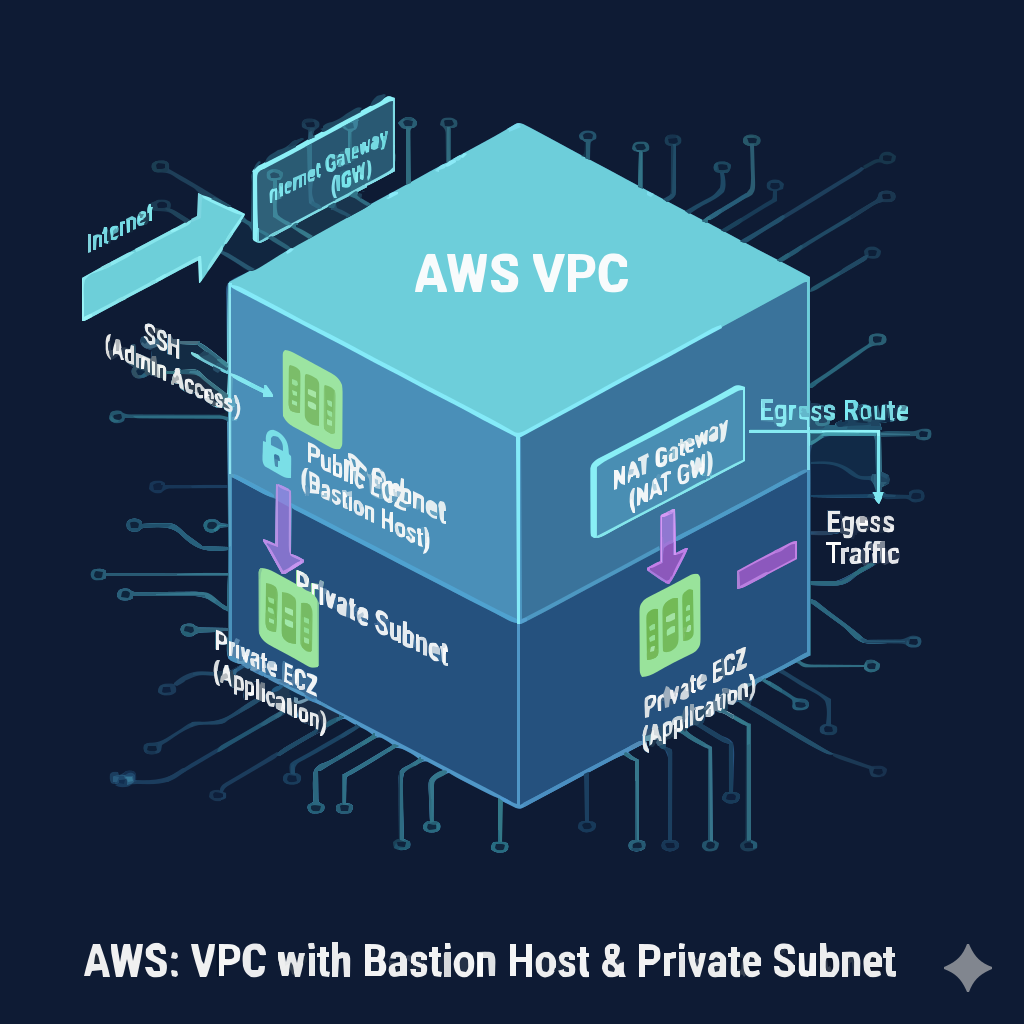
This project provisions a custom VPC with a public subnet, a private subnet, a NAT Gateway for secure outbound internet from private EC2 instances, and routing that models real production environments.

Architecture
Two-tier VPC with public EC2, private EC2, and NAT Gateway (inferred)
Public subnet hosts bastion / web EC2; private subnet hosts internal workloads accessing the internet via NAT Gateway. (inferred)
Monitoring & Security (inferred)
  • Private subnet instances have no public IP, reducing exposure.
  • Security Groups separate public and private traffic.
  • VPC Flow Logs help analyze allowed/denied traffic.
View Repo

Case Studies

Selected deep dives into architectures that highlight scalability, reliability, security, and automation.

CloudInfra Deploy Engine – UI-Driven IaC

Problem
Running Terraform purely from CLI makes it harder for non-expert users and teams to consistently apply infrastructure changes and see what’s happening in real time. (inferred)
Approach
Build a Flask-based dashboard that wraps Terraform CLI commands, validates configuration, and exposes a guided workflow for init, validate, plan, and apply.
Architecture
Flask app orchestrating Terraform modules, provisioning AWS resources such as EC2 and Route 53, with an import/export configuration panel and optional GitHub Actions CI for format and validate checks.
Implementation
Designed the project with a clear structure: app.py, Terraform configuration in a terraform/ directory, HTML templates under templates/, and a screenshots folder to document the UI. The app runs locally and controls Terraform via shell execution.
Outcomes / Metrics (inferred)
Faster onboarding for team members who can deploy infra from a UI, fewer manual CLI mistakes, and a reusable platform for future extensions like ASG, ALB, CloudFront, and WAF integration.

Two-Tier AWS VPC with NAT Gateway

Problem
Many workloads require private subnets without direct internet exposure but still need outbound access for updates, package downloads, and external APIs. (inferred)
Approach
Use Terraform to build a VPC with clearly separated public and private subnets, an Internet Gateway for the public tier, and a NAT Gateway plus routing for secure outbound access from the private tier.
Architecture
Custom VPC, public subnet hosting an EC2 instance with public and private IP, private subnet hosting internal EC2 instances, NAT Gateway with EIP, and independent route tables for each tier.
Implementation
Implemented Terraform resources for VPC, subnets, route tables and associations, Internet Gateway, NAT Gateway, Elastic IP, EC2 instances, and Security Groups. Outputs expose key identifiers for use in downstream modules or stacks.
Outcomes / Metrics (inferred)
A reusable two-tier networking pattern ready for application stacks, with reduced attack surface, production-style routing, and predictable infrastructure lifecycle managed fully via Terraform.

Automated AMI Creation with EC2 Image Builder

Problem
Manually configuring EC2 instances after launch increases deployment time and introduces configuration drift. (inferred)
Approach
Use EC2 Image Builder to define components, image recipes, infrastructure configuration, and a pipeline that outputs standardized AMIs with pre-installed web servers.
Architecture
Image Builder pipeline provisions a temporary build instance, applies custom components for web server configuration, validates the result, and publishes an AMI that can be used across multiple deployments.
Implementation
Created custom components, recipes, and pipeline definitions in AWS, along with IAM roles to securely access required resources. Validated resulting AMIs by launching them and confirming the web server state.
Outcomes / Metrics (inferred)
Decreased configuration time for new instances, standardized base images, and a clear path to scheduled AMI refreshes integrated with CI/CD pipelines.

Contact

Interested in Cloud / DevOps roles, platform engineering, or infrastructure automation? Let’s connect.